
In this guide
Related guides
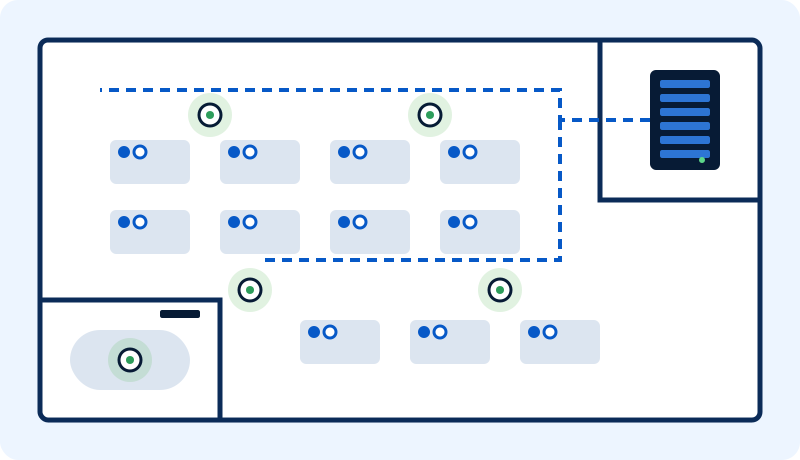
The plan, step by step
01
Share your plans
Floor plans, number of employees, and where devices such as TVs and access points will go.
02
Free site visit
We inspect the site before preparing the quote.
03
Decide early
Screens, printers, access points and managers' equipment: fix their places before ceilings and furniture go in.
04
Design
Network points, Wi-Fi coverage, the comms room and the rack.
05
Installation
For an office of around 50 people, cabling usually takes 5 to 10 working days, depending on the site.
06
Testing and handover
Every point tested, labeled and documented.
Decisions to make early
These are easy to change on paper and expensive to change after the ceilings close:
- Where screens and TVs go, including meeting rooms.
- Where printers go.
- Where Wi-Fi access points go. See the Wi-Fi guide below.
- Any special equipment for managers' offices.
- Which cable category to install. See the cabling guide below.
Common mistakes we see
- Network points in the wrong place, far from the devices that use them.
- Wall points serving shared desks, so long patch cords run from the wall to the desk. It looks untidy and gets in the way.
- No spare points, so every new desk or device means new cabling work.
What you receive at handover
- A comprehensive quote up front that states all the work.
- A test report for every network point.
- High-Level Design (HLD) and Low-Level Design (LLD) documents.
- As-built documents that show what was actually installed.